
Project Cost Management: Basics, Steps, Goals & Cost Tracking
Learn the essentials of project cost management, from estimating costs and setting budgets to tracking expenses and controlling overruns. Discover practical steps, cost-tracking methods, and how time-tracking tools like TruTimer help teams improve budget visibility, resource utilization, and project profitability.

Table of Contents (15 sections)
- What Is Project Cost Management?
- Goals of Project Cost Management
- Project Cost Management Steps
- Step 1: Plan Cost Management
- Step 2: Estimate Costs
- Step 3: Determine the Budget
- Step 4: Control Costs
- Step 5: Close and Learn
- Direct, Indirect, Fixed, and Variable Costs
- Project Management Cost Tracking: How It Works
- Project Cost Management in Software and Agency Work
- How Time Tracking Supports Project Management Cost Tracking
- Common Project Cost Management Mistakes
- Keep Project Costs Under Control
- Frequently Asked Questions
Project cost management gives teams a structured way to estimate, budget, and control the money a project consumes from launch to closeout.
Wellingtone's 2026 State of Project Management report found that only 49% of organizations mostly or always complete projects within budget, and that about one-third of projects never have an initial performance baseline established, which leaves no agreed benchmark for measuring cost performance.
For managers who own project cost management, the implication is direct: a budget that was never baselined cannot be tracked, and a budget that cannot be tracked cannot be defended in front of a client or a finance team.
This guide explains the basics of project cost management, the core steps, the goals behind them, and a practical approach to project management cost tracking that teams, from IT services firms to agency owners, can apply to the next project.
What Is Project Cost Management?
Project cost management is the set of processes used to plan, estimate, budget, and control project costs so that work doesn’t exceed an approved budget. The Project Management Institute's PMBOK Guide organizes the discipline into four processes: plan cost management, estimate costs, determine the budget, and control costs.
The cost management of project work covers every expense tied to delivery, including labor, software licenses, contractors, equipment, travel, and overhead. In software and services projects, labor often accounts for the largest share, which makes tracked hours the most important input for project cost management and for every report built on it.
Goals of Project Cost Management
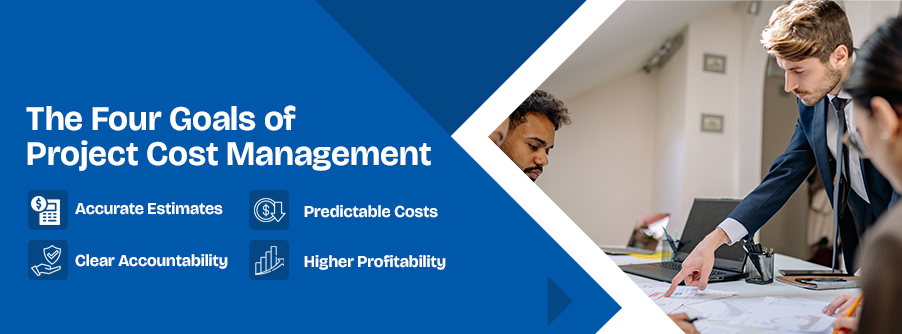
The goals of project cost management fall into four groups. Accuracy comes first as it estimates the real scope and the real effort necessary for the project. Next comes predictable project outcomes, so stakeholders can estimate early whether the team is spending money as expected. Accountability assigns each budget estimate to an owner who can explain variances, and profitability protects the margin of the firm delivering the work.
Teams that do their best to stick to all four goals treat the cost management of project budgets as a work in progress instead of a quarterly audit. PMI's 2025 Pulse of the Profession report found that project professionals with high business acumen adhered to budget 73% of the time, compared with 68% for those with low acumen, which suggests that financial literacy of a team reflects via project cost control.
Project Cost Management Steps
Project cost management follows a sequence in which each step strengthens the next, so an overlooked step makes the rest less effective. Let’s check out what the steps entail:
Step 1: Plan Cost Management
Planning defines how costs will be estimated, approved, tracked, and reported before the first estimate is drafted. A written plan sets the rules for project cost management, including the unit of measure, such as hours or days, the level of precision, the approval thresholds, and the reporting rhythm. A weekly review works well for most delivery teams because monthly reports often explore problems only after they turn into serious concerns.
Step 2: Estimate Costs
Estimating predicts the resources and expense each task needs, and within project cost management the method should match the maturity of the project.
| Method | Best when | Weakness |
|---|---|---|
| Analogous | Early stage, with little detail | Depends on how similar past work really was |
| Parametric | Repetitive work and predictable effort required for each task | Needs reliable historical rates |
| Bottom-up | Scope is well defined | Slow to build |
| Three-point | Highly uncertain | Relies on honest optimistic and pessimistic inputs |
Early proposals usually require analogous or parametric estimates, a signed statement of work calls for bottom-up detail, and highly uncertain work benefits from three-point ranges. Checking the hours workers needed to complete similar projects helps you offer a realistic time estimate to get the job done.
Step 3: Determine the Budget
Budgeting, the third stage of project cost management, brings all task estimates together to set the project’s approved budget. This budget becomes the benchmark for comparing actual spending and tracking costs throughout the project.
No report showcasing the accruing spending is useful without an approved budget to compare it against. This makes setting a clear cost baseline before your team starts working on the project makes cost tracking effective.
Step 4: Control Costs
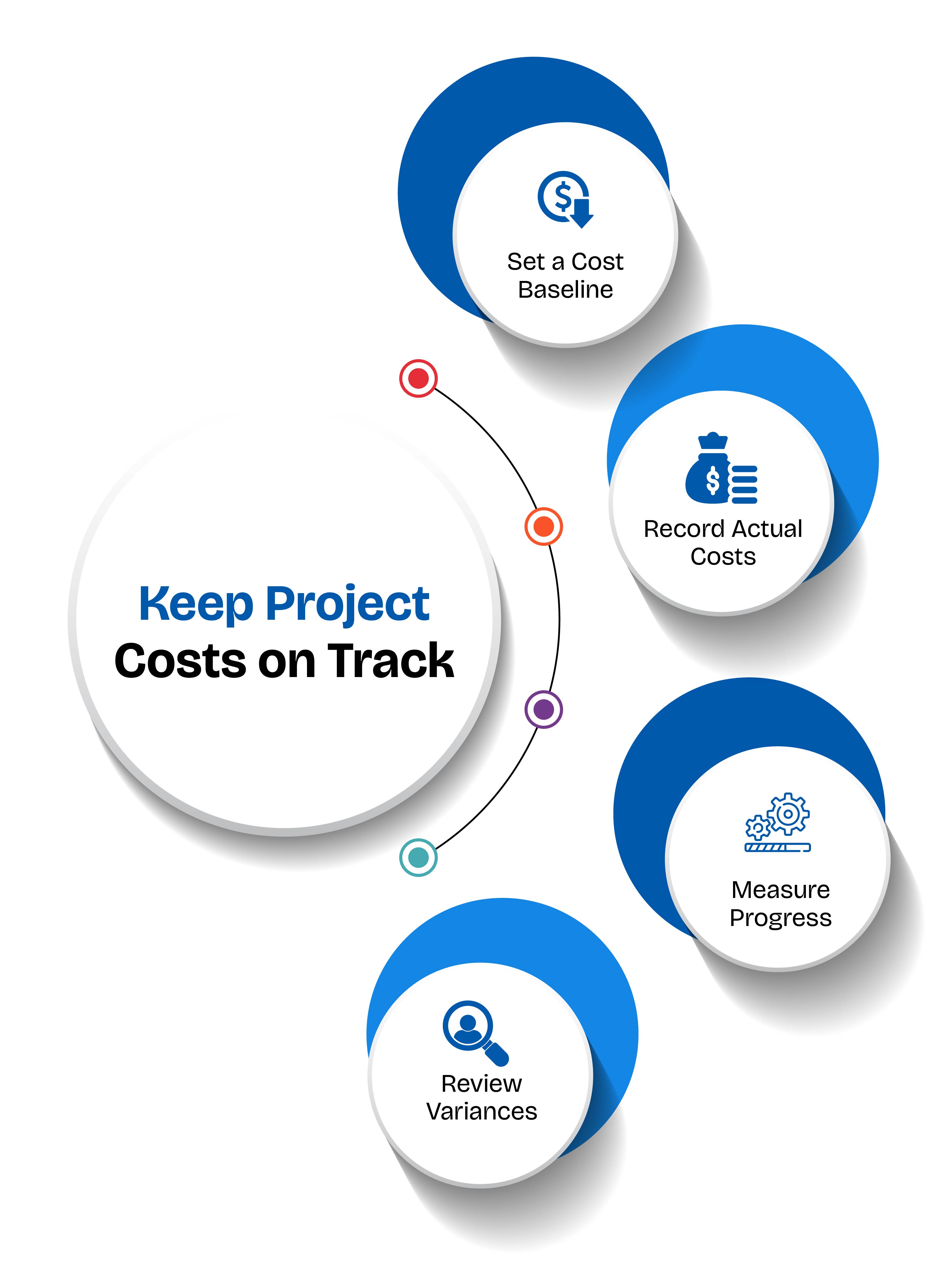
One of the most crucial processes in project cost management, cost control is where project cost tracking becomes useful. It helps teams compare actual spending with the approved budget and spot any differences early. Teams compare the two throughout delivery, then act on the variance by reassigning work, trimming scope through a formal change request, or revising the forecast.
Step 5: Close and Learn
At closeout, the final cost report compares the initial estimate with actual results and records why variances happened. A short review with finance and delivery leads works better than a standalone report. Those insights become the historical data that improves the next estimate and strengthens the next round of project cost management.
Direct, Indirect, Fixed, and Variable Costs
Understanding project costs helps managers prepare realistic budgets and keep spending under control. Some costs belong to a single project, while others are shared across teams. Costs can also stay the same or change as the workload increases. Knowing the difference helps teams estimate expenses accurately and track spending more effectively. Let’s check out a table below to get a better grasp of the various types of project management costs:
| Cost type | What it refers to | Examples | How it influences project cost management |
|---|---|---|---|
| Direct costs | Expenses linked to a single project | Developer hours, contractor invoices, project-specific software licences | Help managers calculate the cost of individual projects |
| Indirect costs | Shared expenses that support multiple projects | Office rent, common software/ tools used by the team members, general IT support | Need to be divided across projects using a consistent rule, such as each project's share of total working hours |
| Fixed costs | Costs that remain stable within a set period or agreement, regardless of workload | Fixed monthly salaries, software subscription fees | Make regular expenses easier to plan for |
| Variable costs | Costs that change with workload, usage, or hours worked | Overtime pay, hourly contractor fees, usage-based cloud charges | Can increase when work takes longer or project demands grow |
Project Management Cost Tracking: How It Works
Project management cost tracking compares planned cost, actual cost, and the value of completed work at regular intervals. Earned value management turns that comparison into numbers: the Cost Performance Index divides earned value by actual cost, and the Schedule Performance Index divides earned value by planned value.
A team that has earned 50% of the planned value while spending 60% of the budget has a Cost Performance Index of about 0.83, which means each unit of money is getting less work for the money spent.
The Weekly Variance Check keeps project management cost tracking practical. Once a week, the team records actual hours and expenses, updates percent complete, compares both against the baseline, and forecasts the cost at completion. Percent of budget spent alone misleads, since a project that has used 60% of its budget may be 30% complete or 80% complete.
Earned value suits mid-size and large projects but adds little to a two-week task, where a simple hours-versus-estimate comparison is enough. Strong project cost management and dependable project management cost tracking both depend on real numbers that the team has access to in real time. Project management cost tracking tools make this possible.
Project Cost Management in Software and Agency Work
Software and agency projects come with expenses that are easy to overlook. Time required to meet the project’s technical needs usually dominates the budget and along with it, cloud usage and licensing fees also influence the project management cost. And apart from these, the mandatory cost element is paying contractors or full-time workers working on the project.
Scope can also change as the backlog is updated, so project managers should track the costs of major project epics separately in the budget. Teams that tie tracked hours to Jira epics or Azure DevOps work items can run project management cost tracking at the feature level, which gives product owners a clear trade-off between scope and spend.
Agencies on retainers should add one more aspect: comparing hours consumed with hours contracted each week, because a retainer that overruns without anyone noticing erodes margin. Project cost management helps delivery leads and finance teams stay on the same page about project spending.
How Time Tracking Supports Project Management Cost Tracking
Time tracking tools like TruTimer supply the actual-effort data that project management cost tracking depends on, and TruTimer captures it as work happens. The software tracks work time automatically in the background, maps each tracked hour to a project, task, or ticket from Jira, Azure DevOps, Redmine, GitHub, or GitLab, and builds timesheets from a worker’s activity.
Idle detection distinguishes active work from inactive periods, making recorded hours easier to explain to clients. Offline tracking also helps field teams record their hours when they lose internet access.
These records generate reports on employee activity, active and idle time, and project progress. The reports help managers identify wasted hours and projects falling behind, giving them time to address problems before they get worse.
Managers can quickly see which teams or team members have available time and assign work accordingly, while keeping project costs in mind. The same time records also help in invoicing, ensuring clients are billed for the hours actually tracked. Access controls keep cost reports available only by authorised users, and screenshots are optional and managed by managers and supervisors.
Want to see how TruTimer can help you manage project costs? Book a 2-minute walkthrough to learn how tracked hours can help you keep project budgets on track.
Common Project Cost Management Mistakes
Large projects show how expensive poor estimates can become. Bent Flyvbjerg's research found that nine out of ten megaprojects run over budget, and a Harvard Business Review study of 1,471 IT projects found an average cost overrun of 27%, with one in six projects overrunning by about 200%.
The lesson is that averages hide risk, because a small share of projects fail badly enough to damage a whole portfolio. Four mistakes recur often:
- underestimating project effort and costs
- failing to establish a cost baseline
- permitting scope changes without formal approval
- delayed actual cost reporting
Each one weakens the project cost management plan, and the cost management of project portfolios suffers most when multiple issues arise simultaneously, though each is easy to prevent with a clear plan and a weekly review.
Keep Project Costs Under Control
Effective project cost management depends on consistent cost control practices: a documented plan for how costs will be handled, estimates based on historical project data, a baseline set before spending starts, and a weekly variance check against actuals.
Reliable project management cost tracking turns these practices into evidence, and evidence makes the cost management of project work easier to defend and budget conversations shorter and fact-based.
Teams ready to bring project management cost tracking into daily work can schedule a free TruTimer trial today.

Frequently Asked Questions
1. How can you track actual project costs against the budget?
The best way to track real costs incurred during an ongoing project against the budget set for the said project is comparing planned costs with actual spending throughout the project.
Tracking the cost at the end of project completion leaves no scope to put a cap on the cost. As you keep tracking it from the beginning, you can keep an eye on labour hours, resource costs, and other expenses to identify differences before unplanned cost increases.
TruTimer helps teams record work hours against projects and tasks. It gives managers transparency into labour costs. You should also keep track of software licences and material costs to maintain an accurate view of total project spending.
2. How can teams identify project cost overruns before they escalate?
Teams often struggle with adverse cost variance which leads to severe internal and external conflicts. And once budget deviation takes place, you cannot ignore the conflicts.
The proven method to stop this from happening is reviewing actual spending as the project progresses. Maintain records of how much work is completed, remaining effort, and changes in project scope. Regular reviews of every aspect of a project help managers spot rising labour costs or submission delays before they become serious concerns.
TruTimer lets managers oversee the time consumed to complete every task assigned to each employee. It offers extensive insights into your team’s activities to get done with a project. So, monitoring where working hours are going is just a click away now. This information alongside budget reports can also be used to investigate cost variances and modify your project planning to suit the needs.
3. How does time tracking improve project cost estimation and forecasting?
Time tracking software like TruTimer shows how much effort teams spend on completing a project or a task. Reviewing the historical project information lets managers compare these figures with original estimates and helps them assess how accurate their assumptions were. If they require adjustments, it can be done right on spot without wasting time arranging meeting after meeting with team members.
Over time, this information supports more realistic estimates for similar projects. TruTimer records working hours against projects and tasks, giving teams useful data to establish future estimates, resource planning, and cost forecasts.
4. How does resource utilisation affect project costs?
Resource utilisation shows how effectively a team makes use of its available working time across projects and tasks. Poor allocation can lead to idle capacity, overloaded employees, delayed delivery, or unnecessary staffing costs.
Reviewing utilisation helps managers balance workloads and assign resources more effectively. TruTimer provides granular level visibility into working hours, team utilisation, and available capacity. The software helps managers make informed staffing decisions and identify opportunities to use existing resources more efficiently.
5. What should a project cost management report include?
You might scratch your head wondering why you need a project cost management report when you’ve already communicated where resources are allotted during the meeting. But, if you just rely on verbal communication instead of documenting the project budget allocation plan, you might risk exceeding the approved budget and displeasing clients.
An agreed-upon project cost management report should include the approved budget, actual expenditure, remaining budget, cost variances, and forecasts of final costs. It should also cover labour hours, resource utilisation, scope changes, and any risks that could influence the spending.
TruTimer simplifies the project cost management reporting by tracking time against projects and tasks. Managers can use these records alongside financial data to understand the necessary investment in labour costs and assess whether projects are progressing within budget.
6. Can project management software help control project costs?
Project management software is designed to help teams organise budgets, track project progress, record how much worker effort is invested, and identify potential issues that might lead to budget overrun. While there are endless tools available, the right tool depends on the project’s needs and the data that requires monitoring.
While TruTimer is a time tracking software, it supports teams in governing cost by tracking employee work hours, and where it’s spent. It offers a comprehensive view inside the tasks that have consumed the worker’s working hours. Managers can also access the team’s activity reports with a clear insight into the top active users and team productivity level.
Teams can use these insights alongside their budget records to improve cost allocation and make informed project decisions.